
Blog / Modifier Economics

Modifier Costing Without Guesswork: Protect Margin on Every Add-On

Modifiers are often where hidden food cost exposure accumulates. When option-level costing is visible, operators can preserve guest flexibility while controlling free-item risk.

11 min read Written by: RCS Product Team
What You Will Learn

How to Price Flexibility Without Margin Drift

This article breaks down modifier costing, when restaurants use it, how to run the math, and how to configure modifier groups in RCS.
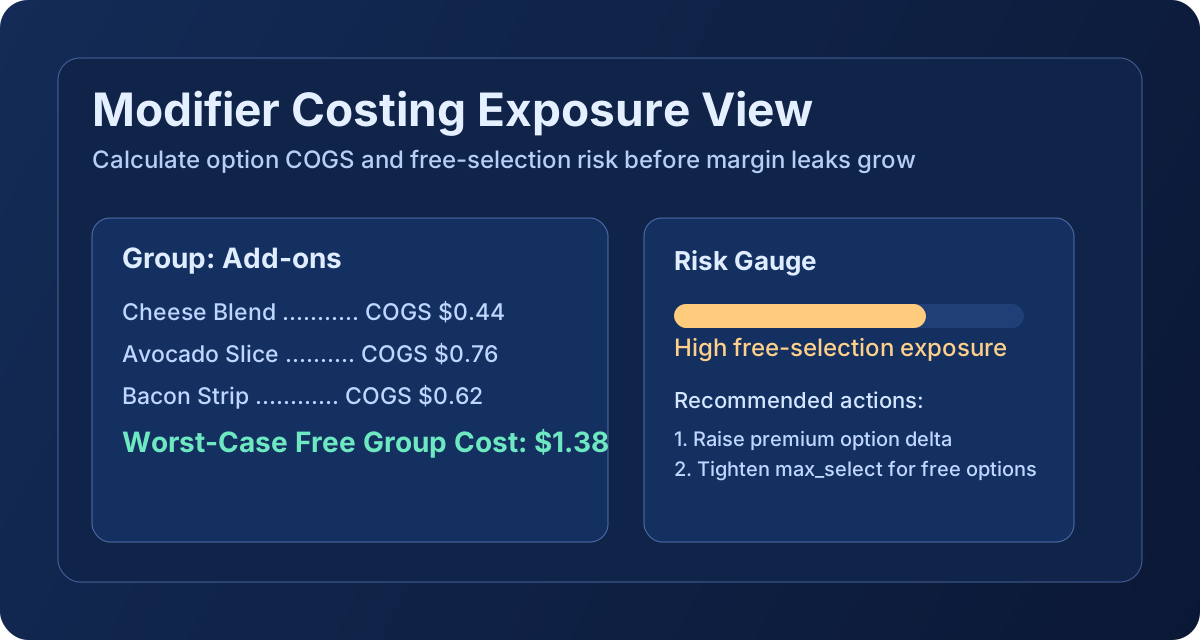
Modifier costing strategy graphic

What Modifier Costing Is

Modifier costing is the process of calculating the cost impact of menu options, such as add-ons, substitutions, included sides, and premium upgrades.

In RCS, each option can have explicit cost lines and selection rules, so item-level COGS reflects what guests are likely to choose, including the worst-case free-option scenario.

What Modifier Costing Is Used for in Restaurants

  • See which free choices are creating cost drag on high-volume items.
  • Set upcharge pricing with data instead of broad category assumptions.
  • Prevent underpriced combos where free options exceed expected margin.
  • Standardize option strategy across locations and dayparts.
  • Create a defensible menu engineering process for leadership and finance teams.

How to Calculate Modifier Costing

RCS uses option-level costs plus group selection rules to model realistic risk.

1
Option COGS
Sum(Option Line Qty × Unit Cost)
What a single modifier option costs you, based on its ingredients.
2
Group Worst-Case Free Cost
Sum(Highest-Cost Free Options up to Pick Count)
The maximum modifier cost you'll absorb when a guest picks all their free choices from the most expensive options. Pick Count = max_select (or min_select when max_select is not set).
3
Item Total Plate Cost
Base Recipe Cost + Worst-Case Free Modifier Cost
Your true plate cost assuming the most expensive free modifier combination — the conservative number to price against.
4
Modifier COGS %
(Item Total Plate Cost ÷ Menu Price) × 100
Your food cost percentage including modifier risk. Keep this under your target threshold (28–35%).

Upcharge options are tracked as a separate scenario value so free-choice exposure and revenue-side add-ons remain analytically distinct.
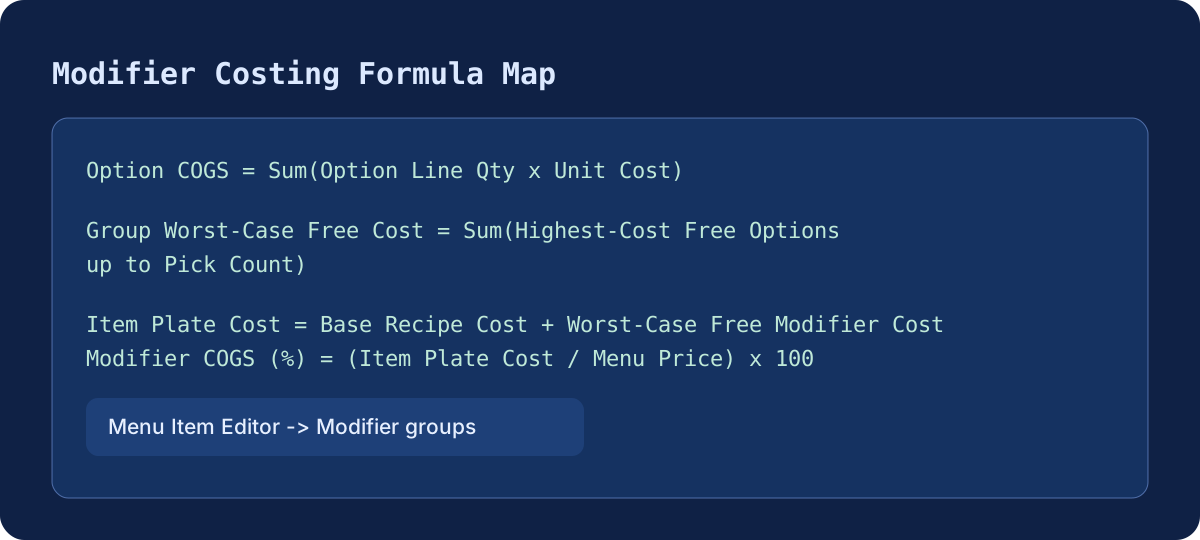
Modifier costing formula graphic

Tutorial: How to Use Modifier Costing in Restaurant Core Systems

Menu and Costing -> Menu Costing -> Menu Item Editor -> Modifier groups

  1. Open Menu and Costing, then go to Menu Costing.
  2. Select the target menu item and open Menu Item Editor.
  3. In Modifier groups, attach relevant groups and verify min/max select rules.
  4. Open each group to define option-level cost lines and confirm active options.
  5. Review the displayed metrics: option COGS, group worst-case free COGS, and item-level worst-case free modifier cost.
  6. Adjust price deltas, defaults, and selection limits to hit target margin.
  7. Re-check final item COGS after updates before deploying menu changes.

Recommended cadence: refresh modifier costing any time a protein, cheese, or sauce category sees meaningful invoice movement. This prevents free-option exposure from drifting unnoticed.