
One system for every corner of your restaurant.
Restaurant Core Systems runs the whole operation — kitchen, bar, menu costing, inventory, accounting, sales, and a mobile app for your team. Here’s what each part does.
Kitchen
Put real tools in your cooks’ and prep team’s hands — prep logging, par-driven prep lists, and one-tap label printing, all from the mobile app.
Log prep batches from the mobile app. Track starting weight, yield weight, and actual output vs. expected yield.
Auto-generated daily prep lists based on par levels and recent depletion. Staff see exactly what needs to be made each shift.
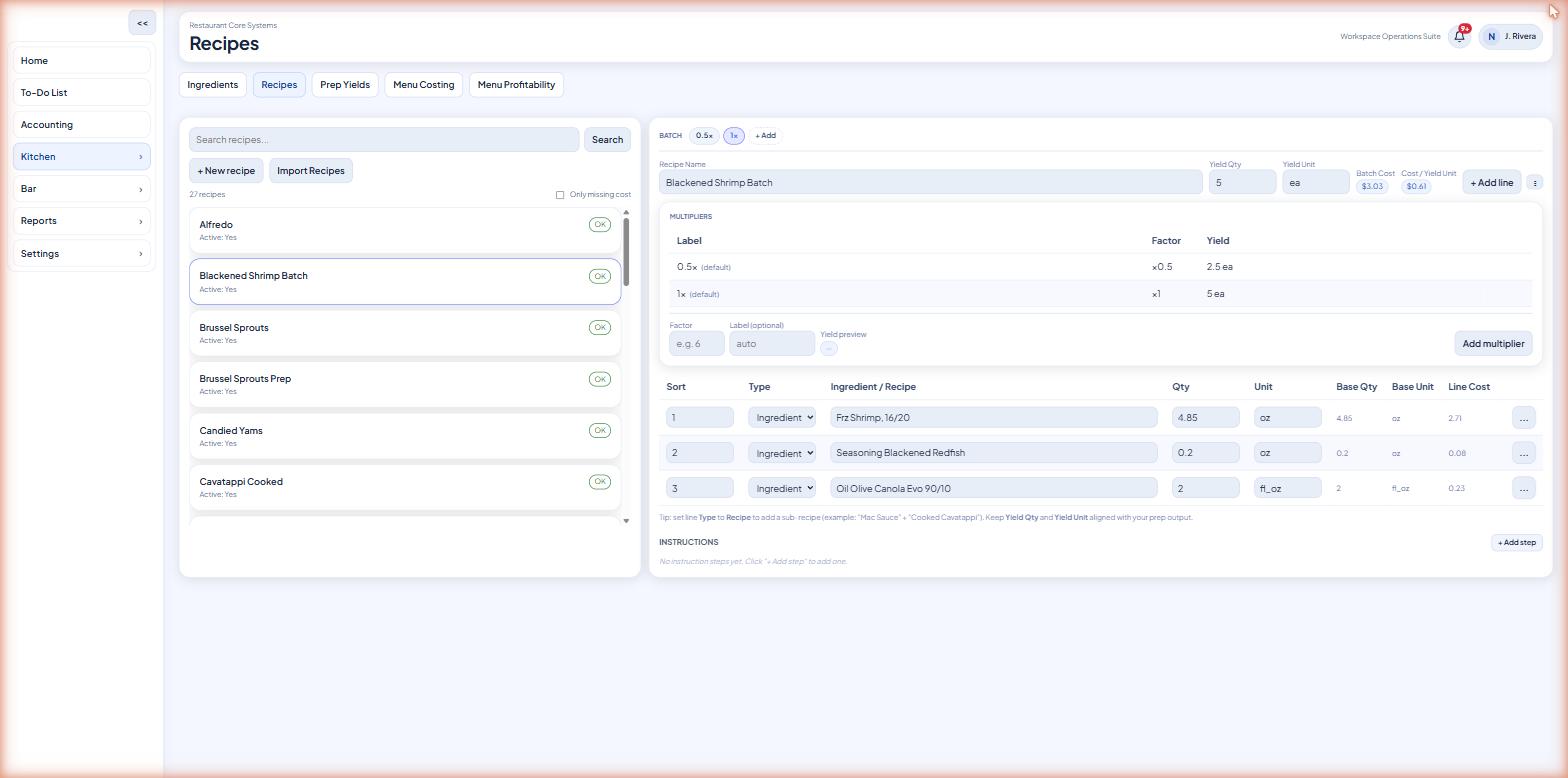
Scale any recipe by a multiplier. The system calculates expected yield and scales ingredient amounts automatically.
A live stock tracker shows how much of each prepped recipe is on hand. It’s automatically depleted when prep batches are logged and consumed.
Print prep labels directly from the mobile app to a Bluetooth label printer (Brother QL or Niimbot). Add items to a quick-print list for one-tap label printing.
Bar
Run the bar like the kitchen — build bar recipes, log production, and know the exact cost and margin behind every pour.
Build bar recipes from your beverage inventory. Track production batches the same way the kitchen tracks prep.
Attach costs to every spirit, wine, and beer SKU from your invoices. See pour cost per drink.
Know the exact cost and margin of every cocktail, wine pour, and beer on your bar menu.
Weigh open bottles to track remaining inventory by weight. (Coming soon on mobile.)
Menu Costing
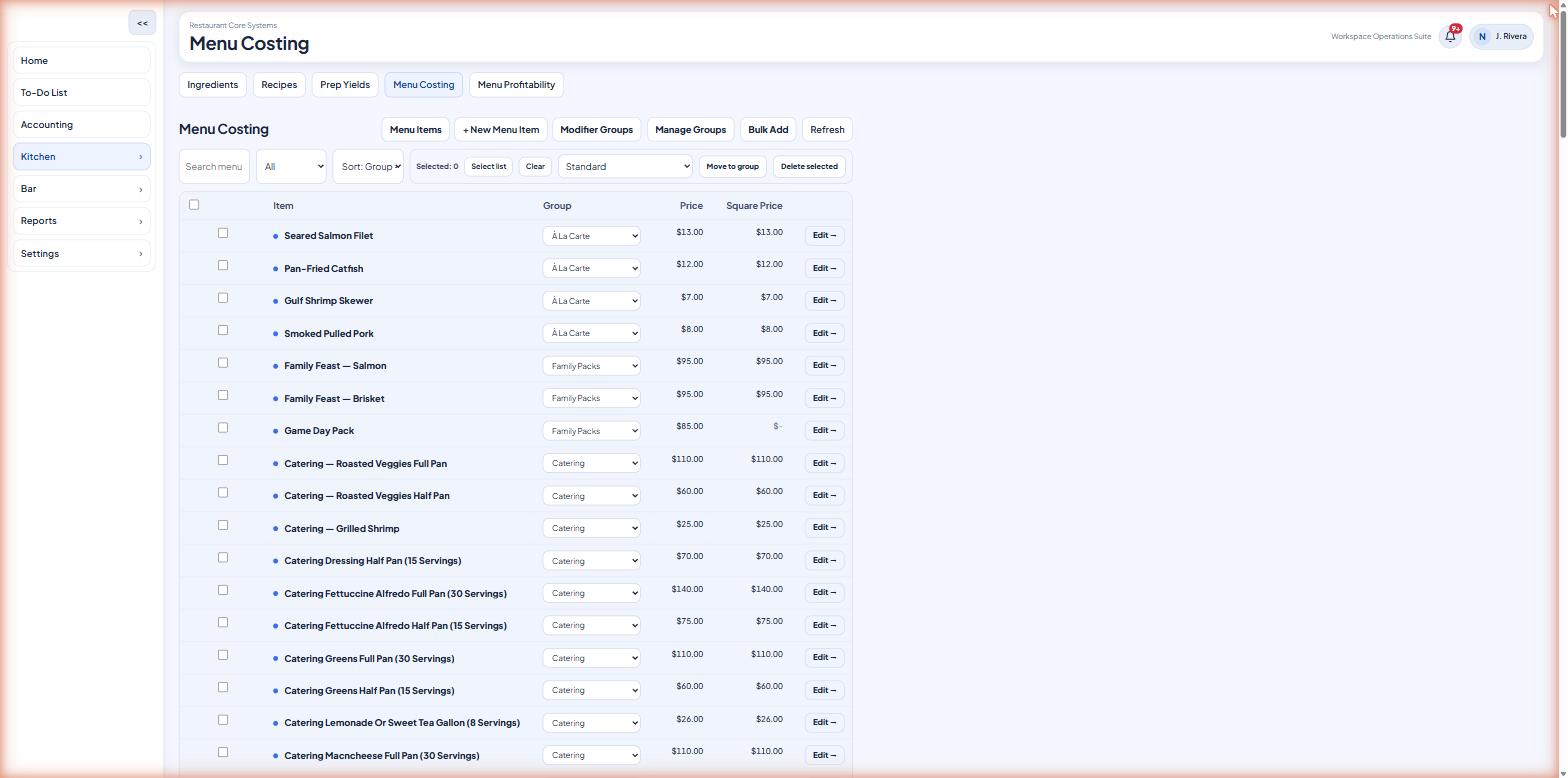
Build recipes from ingredients and see the true plate cost of everything you sell — down to the modifier.
Build your recipes from ingredients. Costs update automatically when invoice prices change.
See the true plate cost of every menu item, including all components and yield loss.
Track the real cost of every add-on, substitution, and upcharge so modifiers don’t quietly eat your margin.
Inventory
Compare what you should have against what you actually have, and surface the gap before it costs you.
Based on what you sold, calculate what you should have on hand.
Count what you actually have. Enter counts from the web or mobile app.
See the gap between theoretical and true. Surface waste, theft, and portioning issues before they cost you.
Accounting
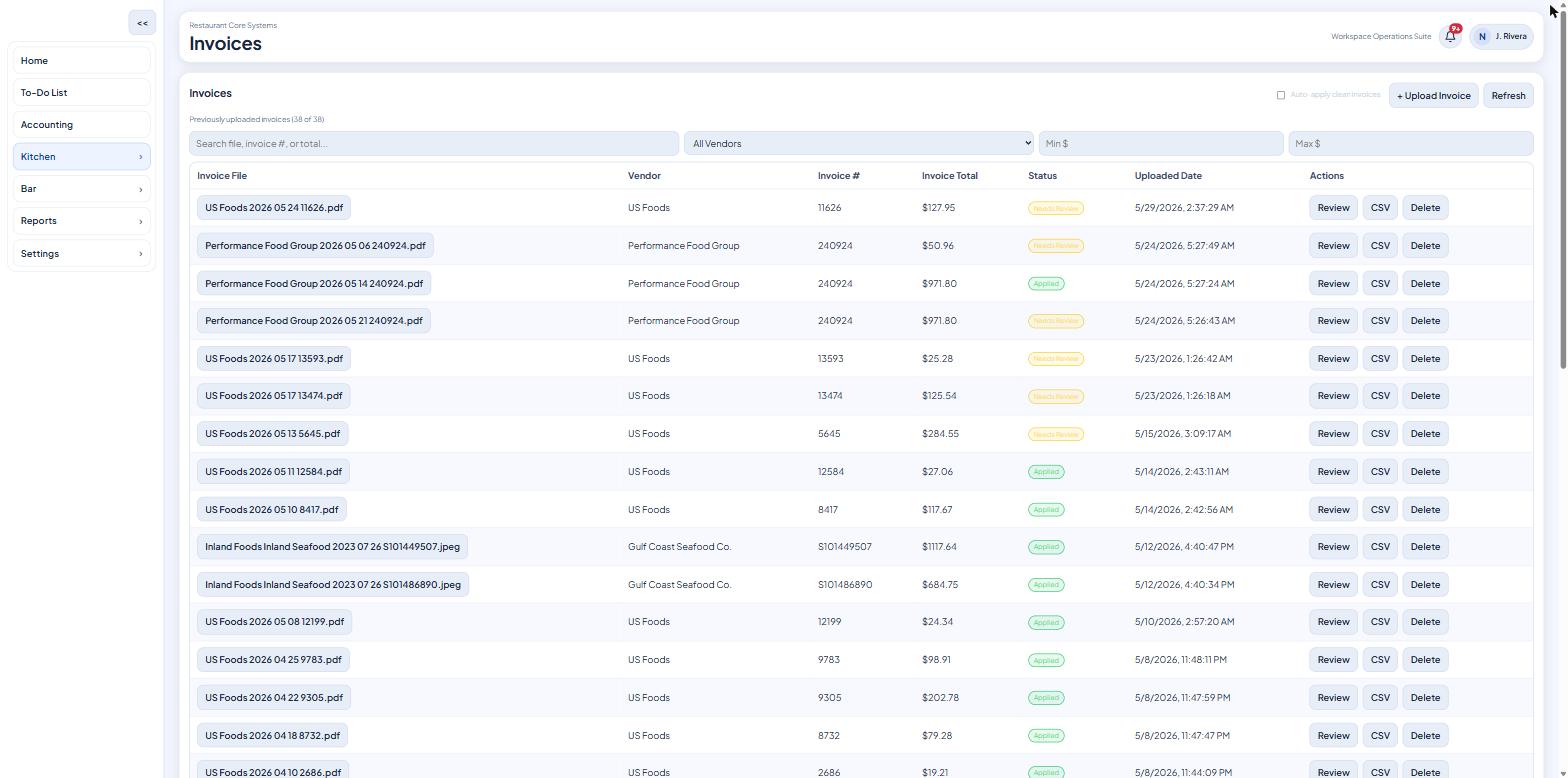
Invoices in, books reconciled. Costs are parsed, mapped to GL accounts, and synced to QuickBooks — no manual journal entries.
Upload invoices (PDF, CSV, or image) or forward them by email. Costs are parsed and matched to your ingredients automatically.
Sync invoices and costs to QuickBooks Online. GL codes map automatically. No manual journal entries.
Map ingredients to GL accounts. Multiple vendor names for the same item are resolved to a single canonical cost.
See period-over-period food cost trends, top spend categories, and cost-per-unit history.
Sales & Reporting
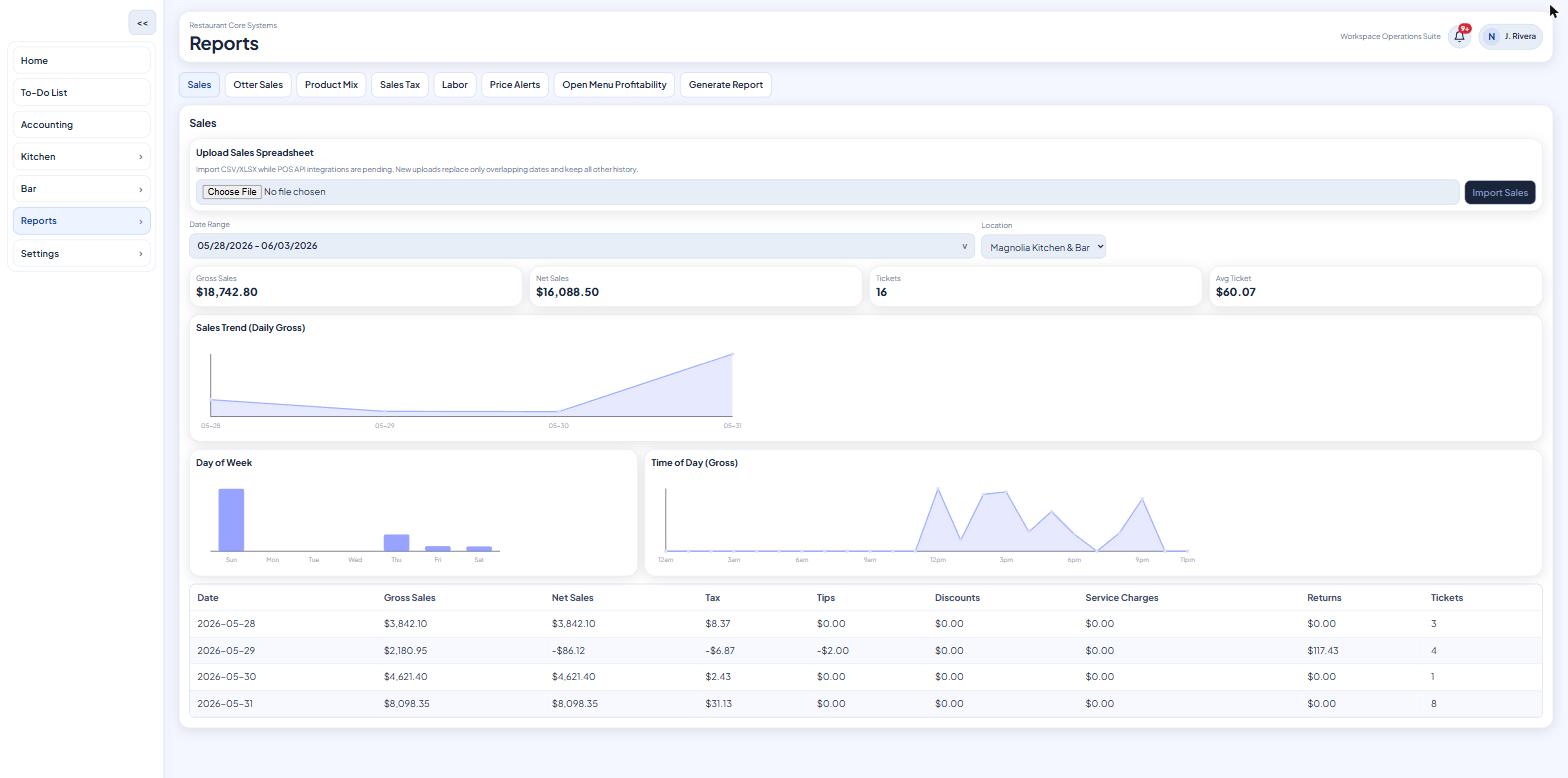
Pull sales straight from your POS and delivery channels, then see product mix and labor cost alongside food cost.
Connect Square, Uber Eats, DoorDash, and Otter. Sales data flows in automatically for theoretical inventory and product mix.
View sales by channel, item, and time period. Understand which items and channels drive revenue.
Import labor data and see labor cost as a % of sales alongside food cost.
Mobile App
Everything your team needs in their pocket — log prep, print labels, check inventory, and run reports from iOS or Android.
The RCS mobile app is available on both the App Store and Google Play. Staff can log prep, print labels, check inventory, and run reports from their phone.
Connect a Brother QL or Niimbot label printer over Bluetooth. Print prep labels, date labels, and custom kitchen labels in one tap.
Managers and staff each get role-appropriate access. Owners control permissions; staff see only what they need.
Ready to run your whole restaurant in one place?
Set up in days, not weeks. Start with the kitchen and add the rest as you go.