
Invoice Review and Apply Workflow
Path: Operations -> Invoice Upload -> 1) Upload -> 2) Run -> 3) Review -> Apply
Upload source files, run parsing, resolve low-confidence rows, then apply approved costs into ingredients and purchase ledger events.
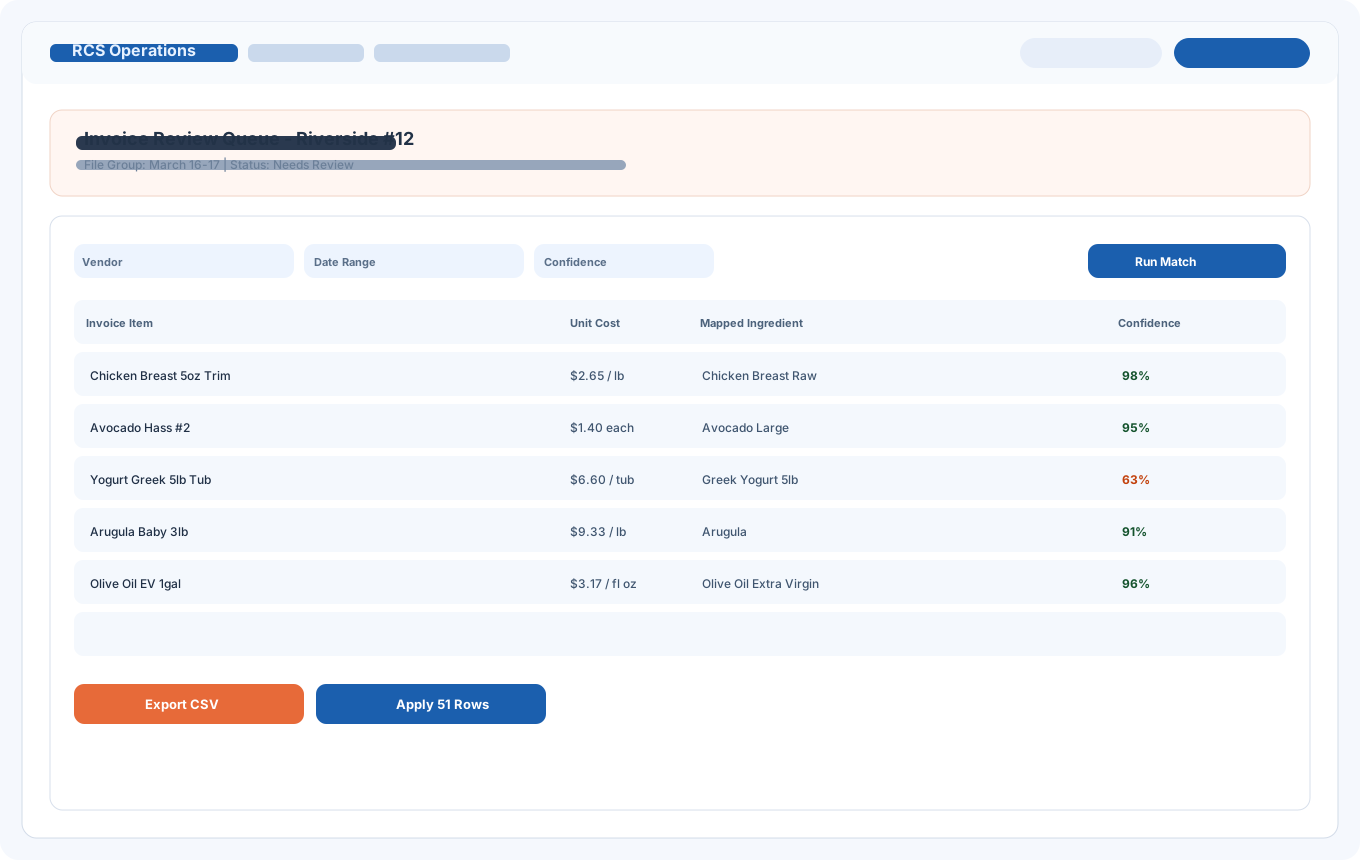
Each guide below uses realistic UI-style screenshots with generic sample data so teams can train safely before touching live records.
Path: Operations -> Invoice Upload -> 1) Upload -> 2) Run -> 3) Review -> Apply
Upload source files, run parsing, resolve low-confidence rows, then apply approved costs into ingredients and purchase ledger events.
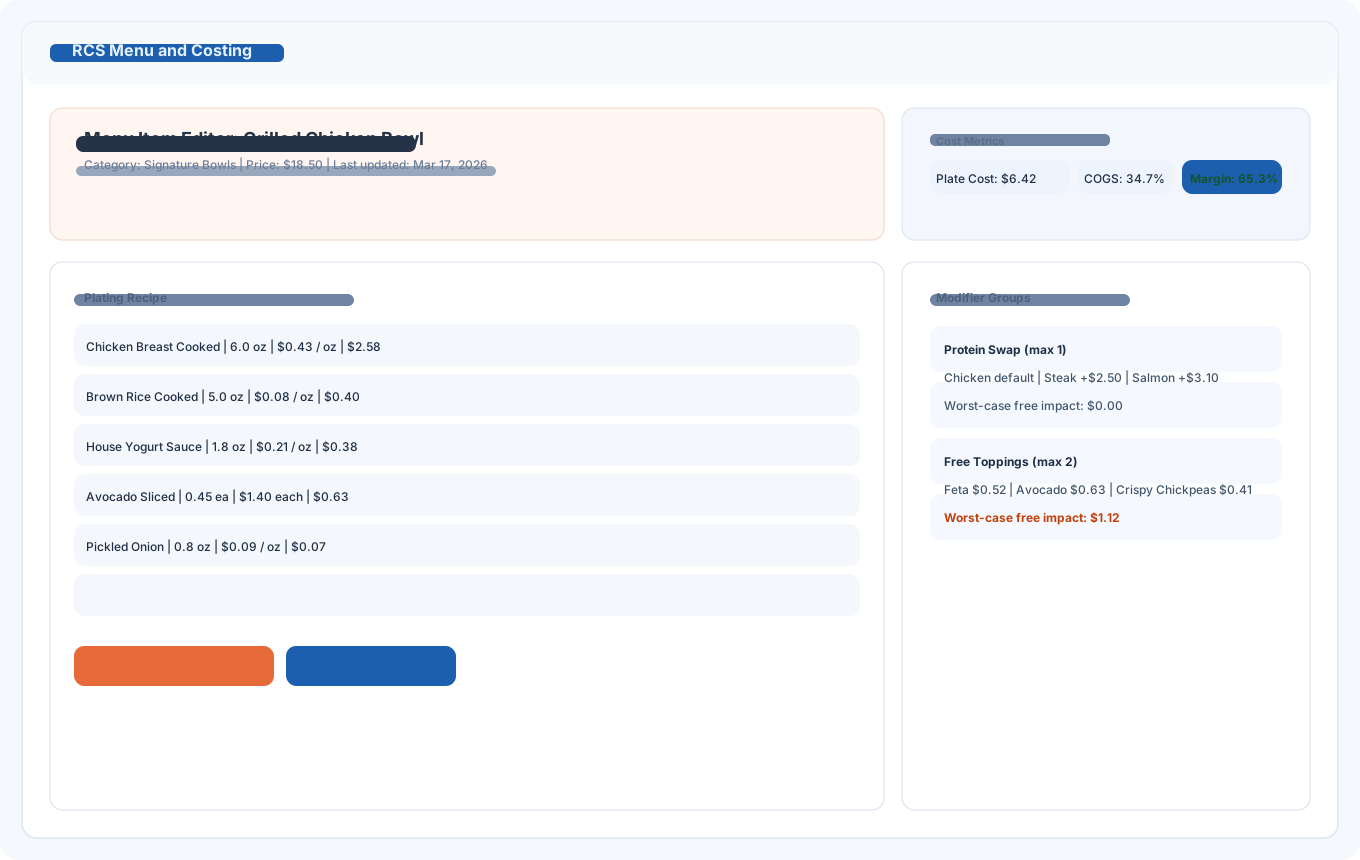
Path: Menu and Costing -> Menu Costing -> Menu Item Editor
Set recipe lines, validate unit and quantity fields, confirm menu price, and review plate cost plus COGS before publishing updates.
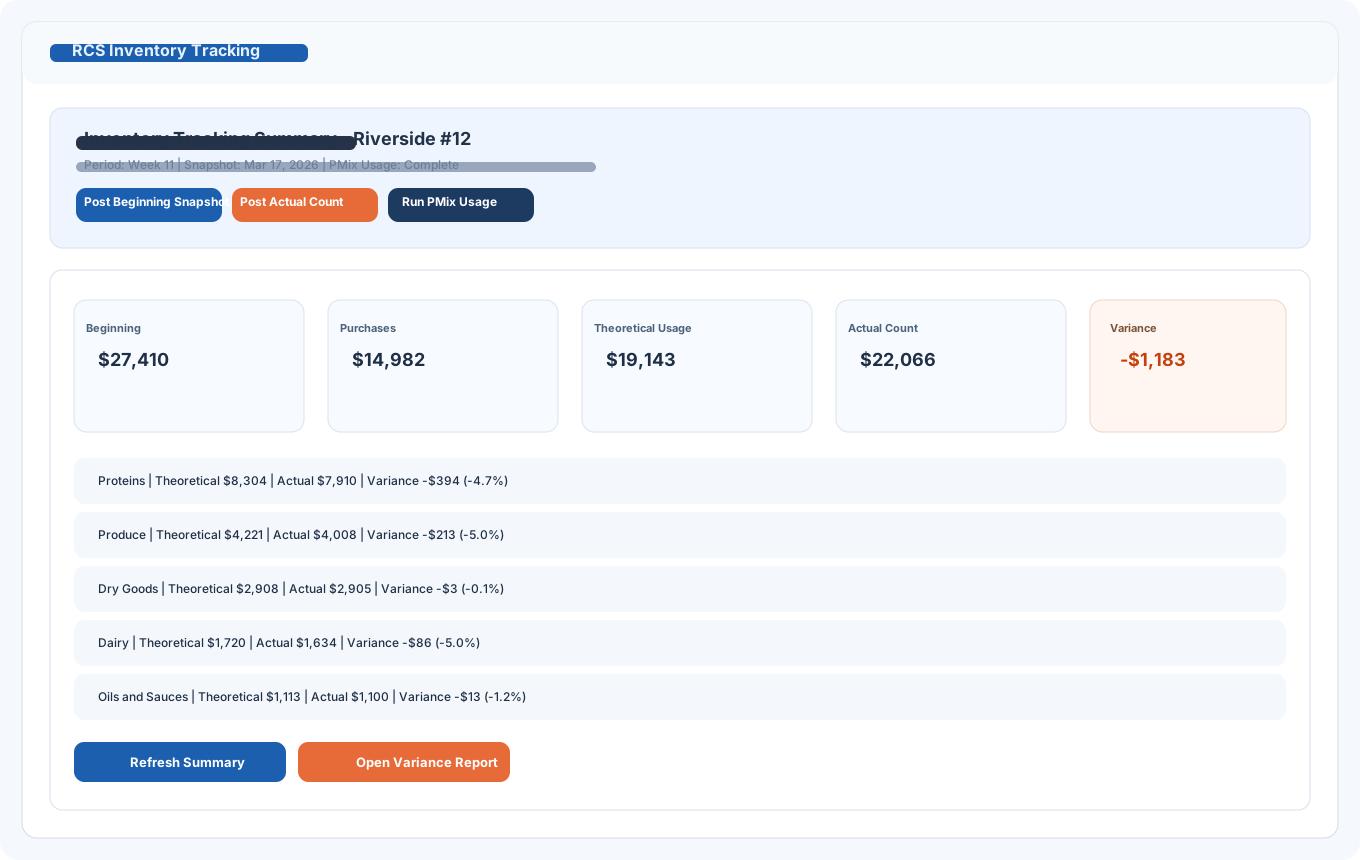
Path: Operations -> Inventory -> Inventory Tracking tab
Post beginning and actual snapshots, run PMix usage, then compare theoretical on-hand against actual value to isolate variance drivers.
Monday-Tuesday: Invoice cleanup and apply
Wednesday-Thursday: Menu/modifier cost validation and action list
Friday-Sunday: Inventory close, variance review, and next-week adjustments
Use this cadence to reduce reactive pricing changes and improve margin stability.
Answers to common implementation and training questions.