
Blog / Menu Intelligence

Menu Costing for Better Margins: Price From Facts, Not Instinct

Menu costing is where product knowledge meets profitability discipline. When plate cost is accurate, pricing decisions become predictable and margin conversations become concrete.

12 min read Written by: RCS Product Team
What You Will Learn

How To Keep Item COGS Honest

This guide explains the purpose of menu costing, the core formulas, and the exact workflow to run item-level costing inside RCS.
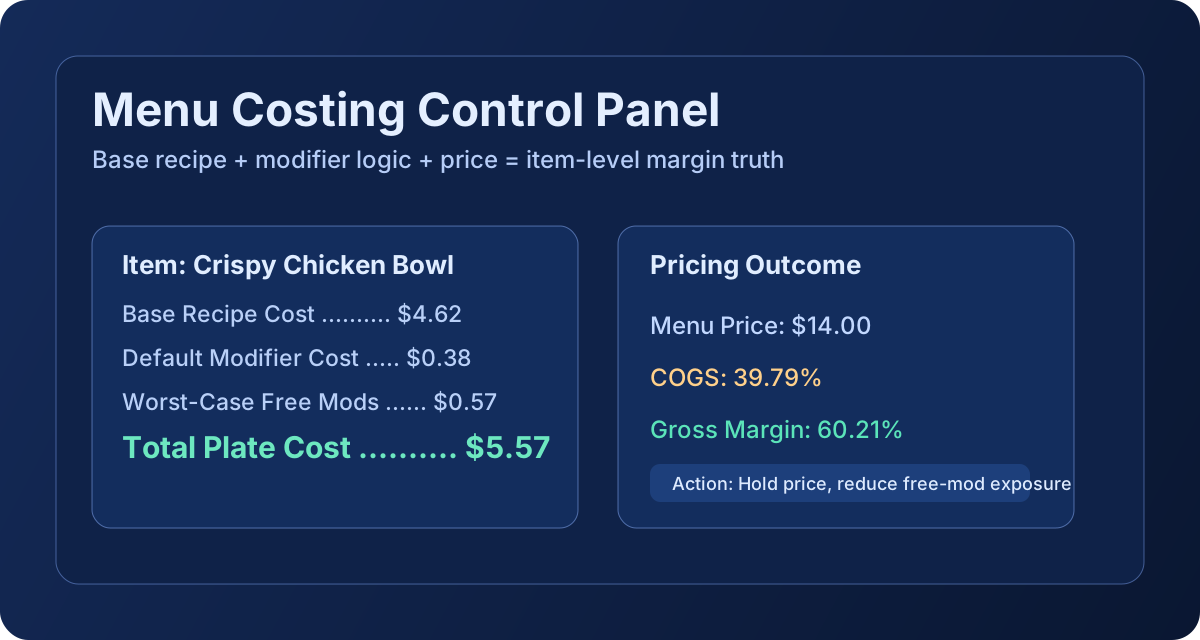
Menu costing dashboard graphic

What Menu Costing Is

Menu costing is the process of calculating what each menu item truly costs to produce, based on its plating recipe, ingredient unit costs, and modifier behavior.

In RCS, menu costing combines base recipe costs with modifier cost logic so operators can evaluate item-level COGS using current purchasing data instead of static assumptions.

What Menu Costing Is Used for in Restaurants

  • Set menu prices with margin targets instead of rough benchmarks.
  • Identify items where food cost drift is eroding profitability.
  • Compare menu price changes to plate-cost movement over time.
  • Prioritize recipe engineering work on high-volume, high-exposure items.
  • Align kitchen execution and finance reporting around one cost model.

How to Calculate Menu Costing

RCS menu costing reflects actual cost sources used by the costing engine.

1
Total Plate Cost
Base Recipe Cost + Default Modifier Cost + Worst-Case Free Modifier Cost
What it costs you to put this dish on the table, including every possible modifier.
2
Cost of Goods Sold
(Total Plate Cost ÷ Menu Price) × 100
Your cost as a percentage of what the customer pays. Target: 28–32% for full-service.
3
Gross Margin
100 − COGS (%)
What's left after food cost. This funds labor, rent, and your profit.

Upcharge modifier scenarios are tracked separately for context. They do not inflate base free-item COGS calculations.
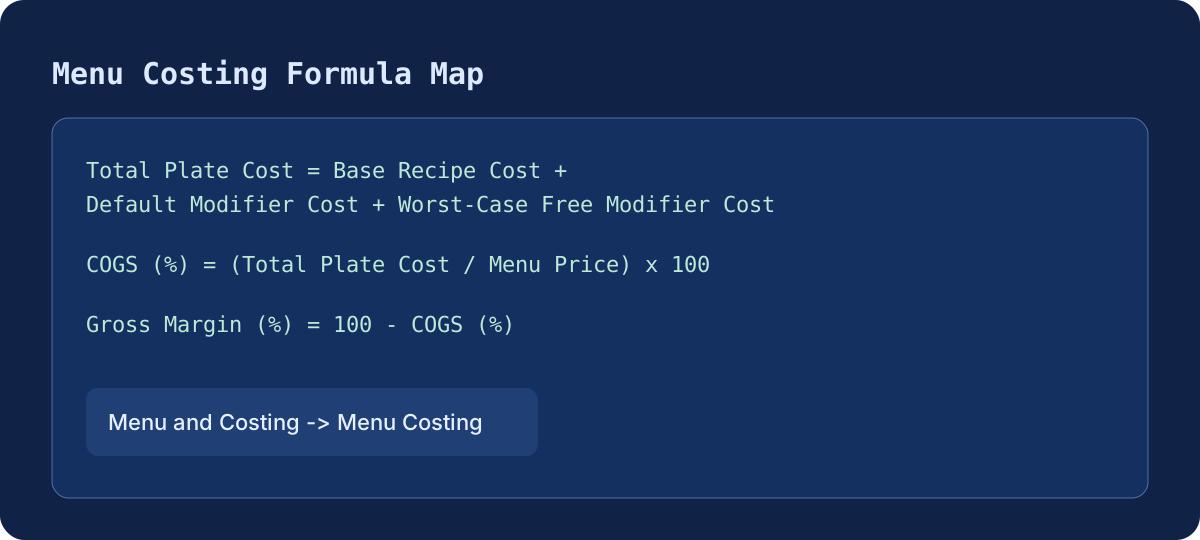
Menu costing formula and component breakdown graphic

Tutorial: How to Use Menu Costing in Restaurant Core Systems

Menu and Costing -> Menu Costing -> Menu Item Editor -> Plating recipe

  1. Go to Menu and Costing and open Menu Costing.
  2. Select a menu item and open Menu Item Editor.
  3. In Plating recipe, add ingredient and recipe lines with accurate base-unit quantities.
  4. Set or verify Menu Price in the item editor header.
  5. Review output metrics: Plate Cost, COGS, and any engine flags.
  6. Adjust recipe structure, portion size, or price based on the new margin outcome.
  7. Repeat for priority categories first, then scale through the full menu catalog.

Recommended cadence: refresh menu costing after each major invoice cycle. This keeps price decisions anchored to current purchase conditions.