
Blog / Operations Workflow

Invoice Ingestion in Restaurants: Turn Vendor Files Into Real Cost Control

Invoice ingestion is the bridge between what you buy and what your food actually costs. When it is structured correctly, operators stop reacting late to price shifts and start controlling margin in real time.

11 min read Written by: RCS Product Team
What You Will Learn

From Raw Files to Trusted Cost Data

This article covers what invoice ingestion is, what restaurants use it for, and a full step-by-step tutorial in the RCS system.
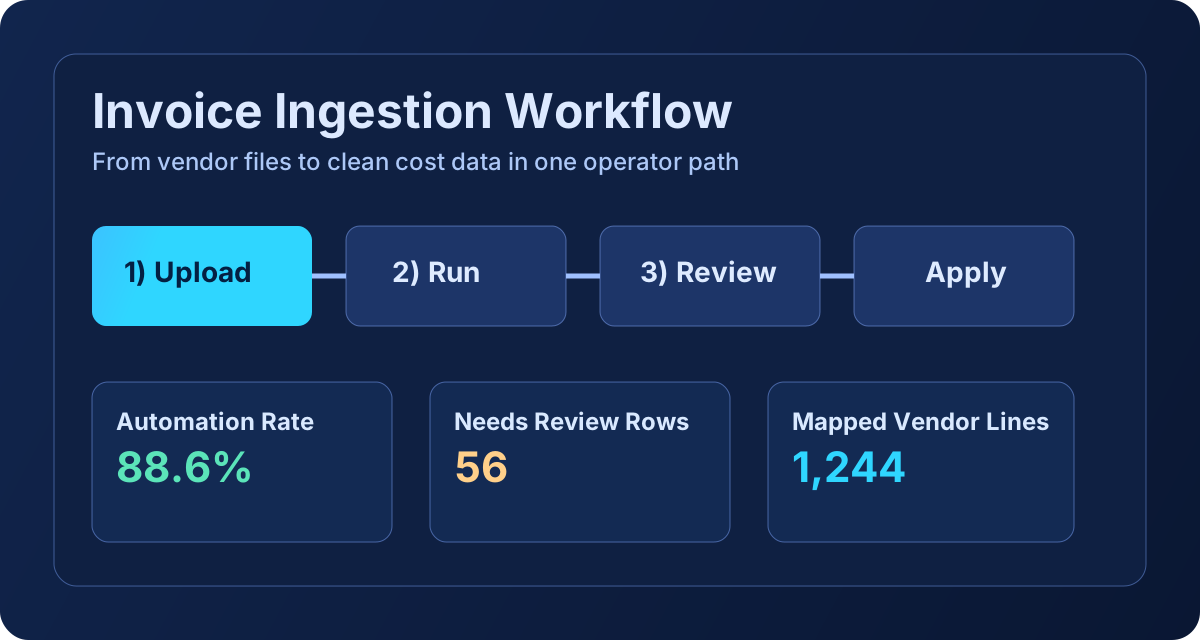
Invoice ingestion overview graphic

What Invoice Ingestion Is

Invoice ingestion is the process of taking raw supplier invoices (CSV, PDF, or image), extracting each line item, normalizing product naming and units, and storing clean cost data for purchasing, recipe, and inventory workflows.

In practical terms, ingestion turns unstructured vendor paperwork into a structured cost layer that can update ingredient costs, purchase records, and downstream profitability reporting.

What Invoice Ingestion Is Used for in Restaurants

  • Detect price changes quickly instead of waiting for month-end surprises.
  • Keep ingredient unit costs current so menu and recipe costing stay trustworthy.
  • Reduce manual back-office entry and duplicate keying errors.
  • Create a clean purchase history for inventory reconciliation and variance review.
  • Shorten the time from receiving product to seeing margin impact.

Tutorial: How to Use Invoice Ingestion in Restaurant Core Systems

Operations -> Invoice Upload -> 1) Upload -> 2) Run -> 3) Review -> Apply

  1. Open Operations, then go to Invoice Upload.
  2. In 1) Upload, submit one or more vendor files for the current delivery cycle.
  3. Move to 2) Run and execute parsing to generate structured review data.
  4. Open 3) Review and verify vendor match, invoice number, invoice date, unit fields, and confidence flags.
  5. Resolve low-confidence lines, then save review updates.
  6. Use Apply to post approved rows into ingredients and purchase ledger events.
  7. Confirm results in Invoice List and use parsed CSV/category totals for audit checks.

Recommended cadence: run ingestion for every delivery day, then finalize review before inventory close. This keeps purchasing, costing, and reporting aligned.