
Blog / Inventory Management

Inventory Fundamentals for Operators: Build Weekly Food Cost Clarity

Inventory is the control point between what you purchased and what you sold. Strong inventory discipline keeps food cost percentage grounded in reality and surfaces process issues early.

10 min read Written by: RCS Product Team
What You Will Learn

How to Build a Repeatable Inventory Rhythm

This guide explains what inventory means in restaurant operations, how to calculate core metrics, and how to run structured inventory in RCS.
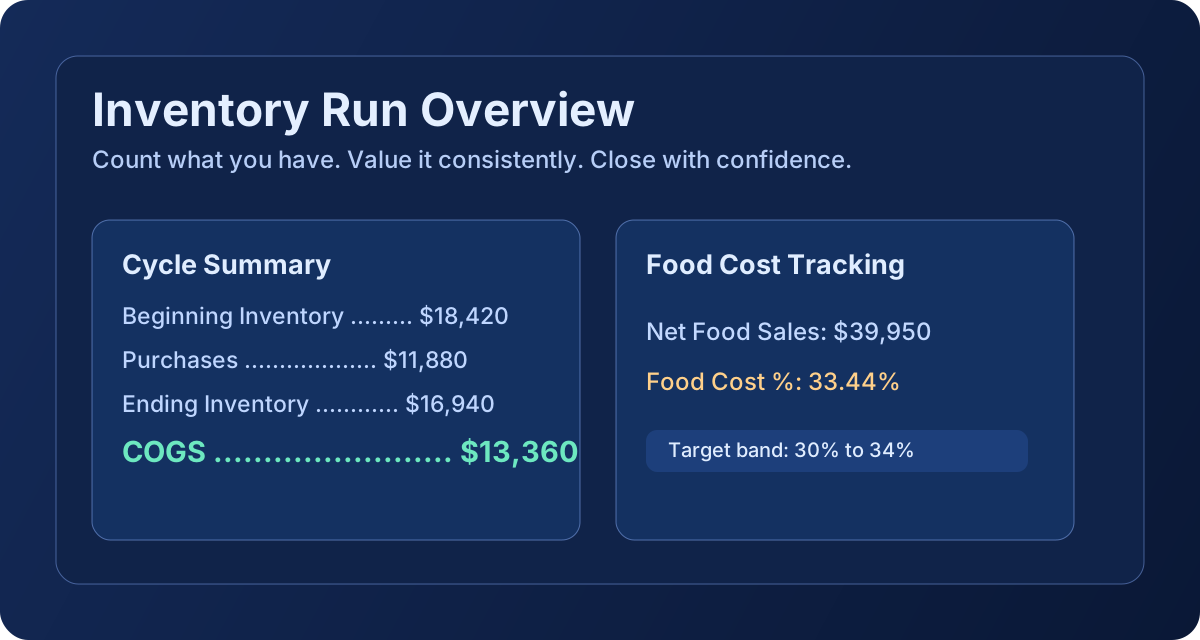
Inventory fundamentals graphic

What Inventory Is

Restaurant inventory is the measured value of ingredients and prepared items you have on hand at a specific point in time. It is the financial and operational snapshot that anchors COGS and food cost reporting.

In RCS, inventory runs combine ingredient and recipe rows so counts and valuations are captured in one repeatable workflow.

What Inventory Is Used for in Restaurants

  • Calculate weekly COGS and food cost percentage with consistency.
  • Detect over-ordering, slow-moving stock, and waste-heavy categories.
  • Support ordering decisions with current on-hand value, not memory.
  • Create clean handoffs between kitchen, management, and accounting.
  • Build a baseline for variance analysis and perpetual tracking.

How to Calculate Inventory

Inventory math should be simple, repeatable, and tied to a defined date range.

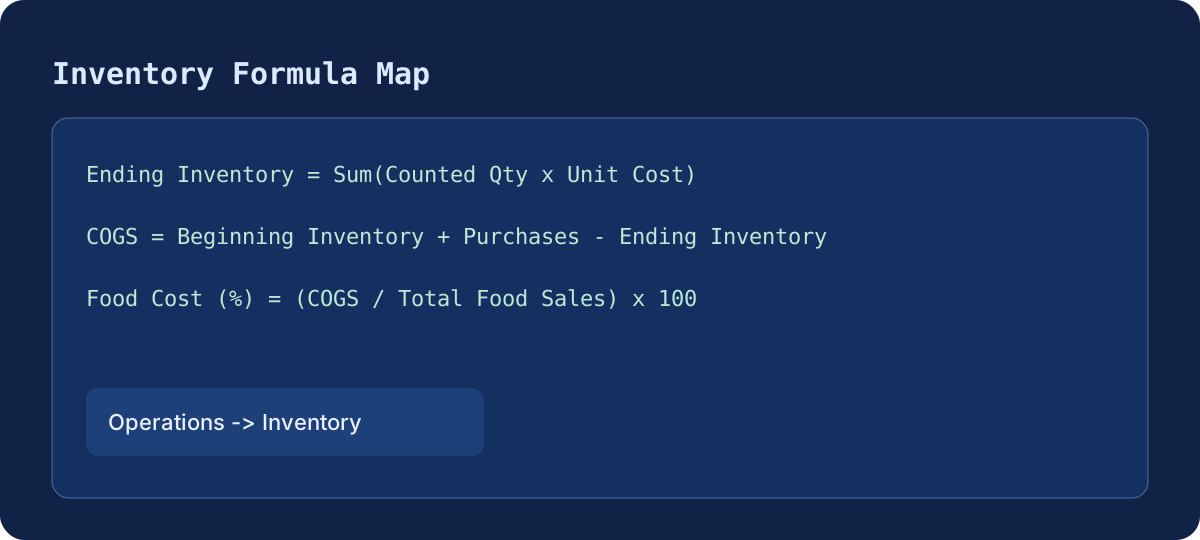
1
Ending Inventory Value
Sum(Counted Quantity × Unit Cost)
The dollar value of everything on-hand at close of count — your starting point for COGS.
2
Cost of Goods Sold
Beginning Inventory + Purchases − Ending Inventory
What you actually consumed this period — the foundation of your food cost calculation.
3
Food Cost %
(COGS ÷ Total Food Sales) × 100
Your food spend as a percentage of revenue. Target: 28–35% depending on concept.

Inventory runs are strongest when counts follow the same order, consistent unit assumptions, and the same close timing each period.
Inventory formula graphic

Tutorial: How to Use Inventory in Restaurant Core Systems

Operations -> Inventory -> Start New Inventory

  1. Open Operations and choose Inventory.
  2. Click Start New Inventory and set the run date range.
  3. Count ingredient and recipe rows in physical sequence to reduce missed items.
  4. Enter quantity on hand for each row and review valuation totals.
  5. Check dashboard cards for beginning value, purchases, ending value, and COGS.
  6. Review food cost percentage against target before finalizing the period close.
  7. Save the run so it becomes the baseline for the next inventory cycle.

Recommended cadence: perform full inventory weekly for high-volume operations, with focused midweek cycle counts on sensitive categories. This improves cost visibility without slowing daily service.