
How to Isolate Variance Before It Compounds
This guide explains inventory tracking, its restaurant use-cases, the variance math, and the exact workflow inside RCS.
Inventory tracking adds a live control layer on top of periodic counts. It compares theoretical and actual values so operators can isolate waste, process misses, and shrink in near real time.
This guide explains inventory tracking, its restaurant use-cases, the variance math, and the exact workflow inside RCS.
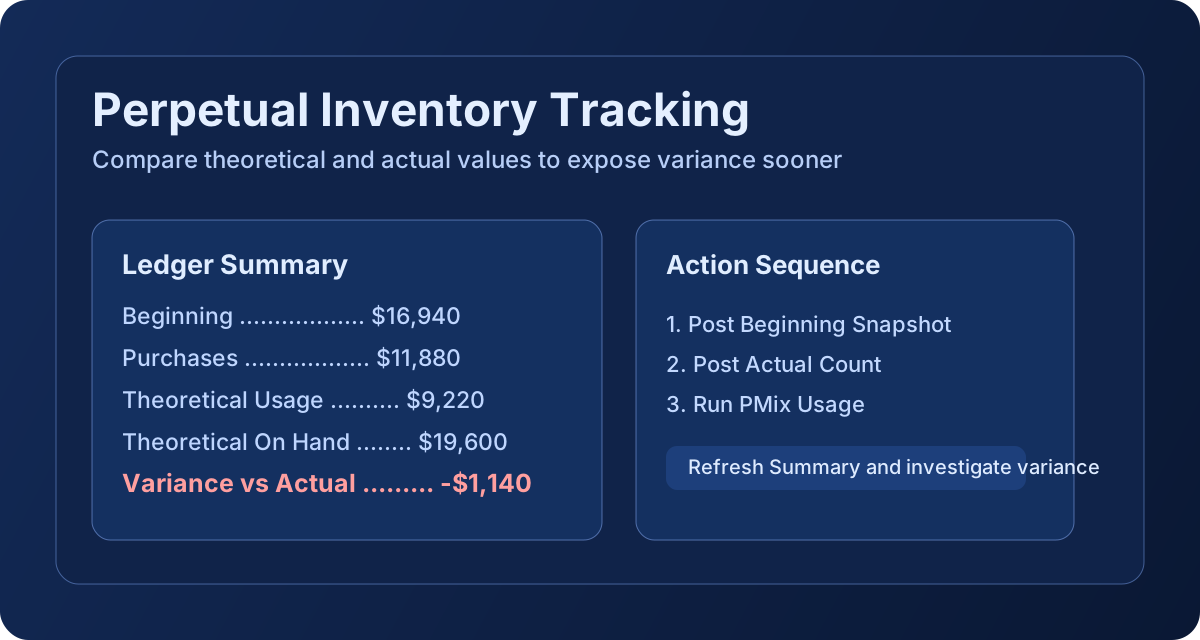
Inventory tracking is the ongoing process of posting beginning snapshots, purchase events, usage events, and actual count snapshots into a ledger so on-hand value can be compared against expected values.
In RCS, the tracking workflow uses PMix-driven usage and inventory ledger events to calculate theoretical on-hand and quantify variance by period.
The key value is the gap between expected inventory and counted inventory.
PMix usage quality depends on accurate menu recipe definitions. If recipe mappings are incomplete, theoretical usage may understate true consumption.
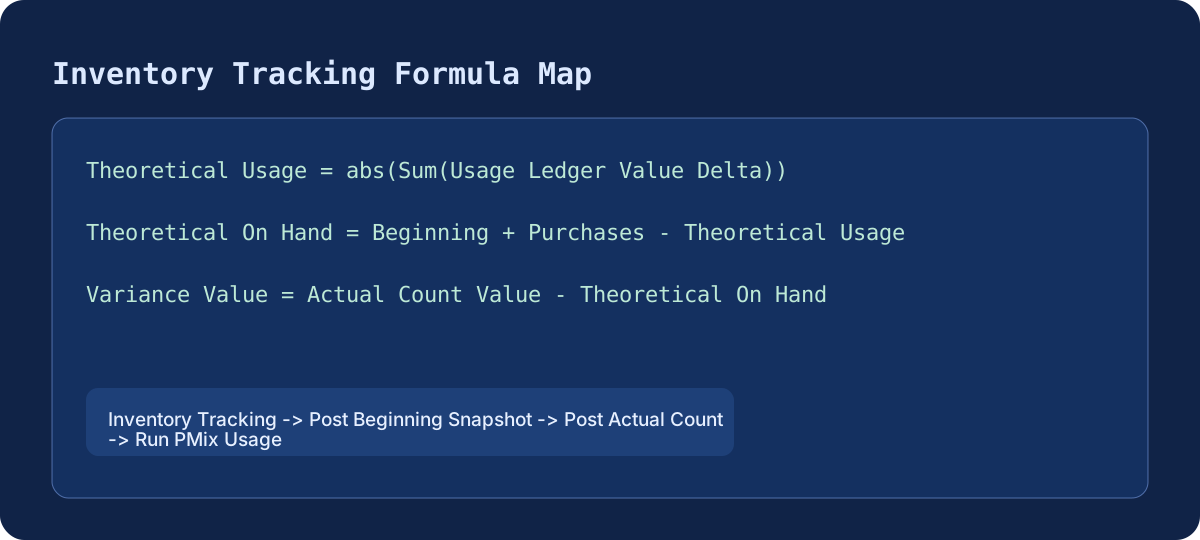
Inventory Tracking tab -> Post Beginning Snapshot -> Post Actual Count -> Run PMix Usage
Recommended cadence: refresh tracking after each major receiving day and again during end-of-week close. This helps reduce compounding variances before they affect margin reporting.